
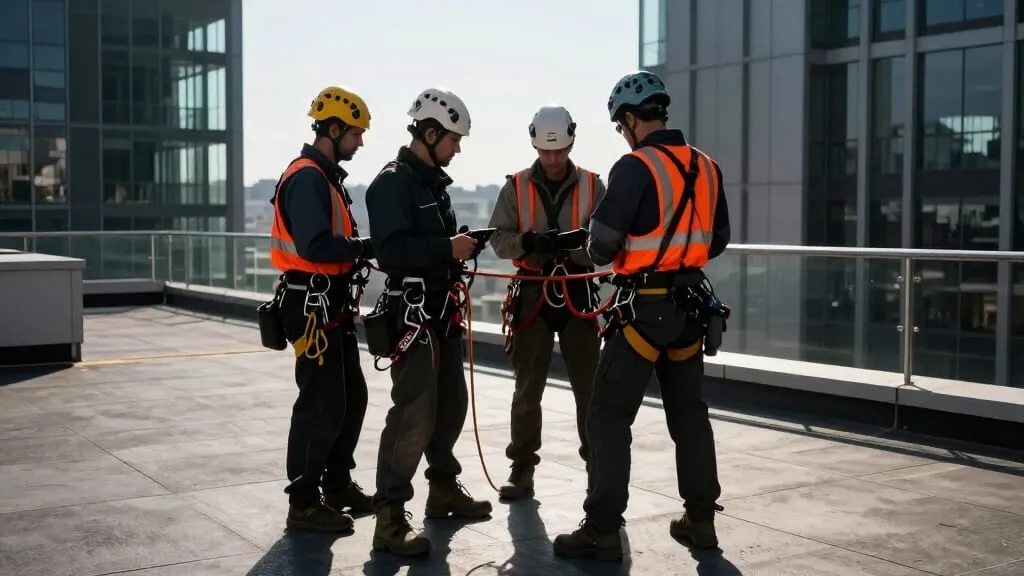
A good rope access rescue plan template holds the decisions your company makes once, and turns every site-specific line into a question that cannot be answered from the office. The test is simple: if last month’s plan can be reused by changing the address, the template is doing your thinking for you.
Every crew uses a template, and that is fine. Nobody should rewrite their haul system steps each Monday. The failure is quieter: a template that is easy to copy gets copied, and a copied plan describes a building nobody is standing on.
Signs a plan was copied
Pull five recent plans from different jobs and lay them side by side. Look for these:
- Paragraphs that are word for word the same on a tower, a parkade and a bridge.
- Phrases like “a trained team member”, “on site” or “as required” where a name, a place or a number should be.
- A method that cannot work on that structure, such as lowering past an overhang.
- The same date format, typo or crossed-out line repeated across jobs.
- A signature block signed by people who were not on that crew.
If you find two or more, the template is the problem, not the supervisors. People fill in what the page asks for. Change what the page asks for.
Decide what belongs to the company
Split your template into a company layer and a site layer. The company layer is written by whoever owns your safety program, reviewed on a schedule, and never edited on a job.
What goes in it:
- Your approved methods, each written step by step the way your crew is trained to rig it, with a short name the site layer can point to.
- Your standard rescue bag contents, including the rope length and device it is built around.
- Casualty care after the rescue, the same on every job.
- Role definitions, such as rescue lead, top person and ground person, so the site layer only assigns names.
- Training and drill standards: who may act as rescuer and how often the crew practices.
Give the company layer a version number and a date. When a supervisor prints or opens a plan, they should be able to see which version of your methods it was built on.
Write the site layer as questions
The site layer is where templates fail, because blanks invite shortcuts. A field labeled “Rescue method” gets “lower”. A question gets an answer:
- Which of our approved methods works from these anchors, and what makes the others unsuitable here?
- What is between the work position and the landing point?
- Who is the rescue lead on this shift, and who takes over if that person is on rope?
- Standing at the rescue lead’s usual position, what is the route to the casualty?
- What on this site today could change the plan: weather, other trades, public below?
Questions like these are harder to copy because the answer has to mention something on the structure. Ban “N/A” and “see previous” in the site layer. If a question truly does not apply, the supervisor writes why.
For the full list of what a finished plan should cover, see our earlier post on what goes in a rescue plan. This post is about the template that produces it.
Where the law puts rescue in writing
Several jurisdictions write rescue into the plan itself, which is why the site layer cannot be optional.
- Alberta: a fall protection plan must include the procedures to rescue a worker who falls (OHS Code s. 140(2)); a rope access safe work plan includes an emergency response plan (ss. 808 to 810); and written safe work practices must cover rescuing a suspended worker (s. 811).
- British Columbia: the written rope access plan must include emergency response, evacuation and rescue procedures, and be available at the workplace before the system is installed or used (OHS Regulation s. 34.3(1) to (2)).
- Ontario: the employer develops written procedures for rescuing a worker whose fall has been arrested, before a fall arrest system is used (O. Reg. 213/91 s. 26.1(4)).
- United States, general industry: prompt rescue must be available for rope descent work (29 CFR 1910.27(b)(2)(viii)); that section does not require a written plan, though clients and contracts often do.
Our requirements page lists these alongside the other provinces and states we cover, with links to the official text.
How this fits with IRATA and SPRAT standards
Alongside the law, most crews work to the standards published by two industry bodies. Neither is a government regulator, and neither is connected with RopeDocs. Their rules reach you through membership, training schemes and client contracts. For a template they are worth reading closely, because they say what the page has to ask for.
SPRAT (Society of Professional Rope Access Technicians), in Safe Practices for Rope Access Work, gives the rescue procedure a minimum list: what is required of the work team, contact details for emergency services, how those services will reach the right location, what equipment is needed and where it is kept, and the methods that make the rescue prompt (16.1). Every one of those is a site layer question except the equipment list, which belongs in the company layer. SPRAT also says the rescue plan comes out of reviewing the work method and the risk assessment to find where a rescue could be needed (9.10.1), which is exactly why the site layer cannot be answered from the office. Two more points land in the company layer: the procedures have to take account of the level and experience of the work team (16.2), and they should be practiced at regular intervals, and before work starts in any situation the crew is not familiar with (16.5). The access work plan that holds the rescue plan also has to be reviewed by the team, and that review documented, before every work shift (9.4), so last month’s plan cannot simply be carried forward.
IRATA International (Industrial Rope Access Trade Association), in its International Code of Practice for Industrial Rope Access, requires every safety method statement to include a rescue plan (clause 1.4.3.11), and expects each worksite to have arrangements for rapid workmate rescue: a site specific plan, together with the equipment, rigging and anchors to carry it out (clause 1.4.2.7.1). In October 2024 IRATA published Annex R, “Rescue and Evacuation Planning, and Considerations”, which works through rescue planning in order and includes an adaptable template of its own. If you are rebuilding your template anyway, it is worth reading next to yours. It stops short of telling you how to physically perform a rescue.
Read the two together and the split in this post holds up: the methods, the kit and the drill standards are decided once by the company, and the questions that only make sense at the building get asked on the day.
Review the template, not only the plans
Plans get reviewed on every job. Templates usually get reviewed never. Set triggers for the company layer:
- After any real rescue or near miss, whatever the outcome.
- After a drill that took longer than expected or needed improvising.
- When you buy new devices or change rope diameter.
- When you start working on a new type of structure.
- At least once a year, by someone who did not write the last version.
When you change the company layer, bump the version and tell the crews what changed in a toolbox talk. A template that quietly changes is almost as bad as one that never does.
Make the supervisor’s job easy
None of this works if filling in the site layer feels like homework. Keep the questions short, put them in the order a supervisor walks the job, and let them answer at the anchor rather than back at the truck.
In RopeDocs, the supervisor completes the rescue plan on a phone at the job, offline if the roof has no signal, the crew signs it there, and it comes out as a dated, signed PDF. RopeDocs helps you produce and keep the record; whether the plan fits the drop is still up to the person who walked it. You can try it free from the home page.